How to implement
GPSR on eMAG?
The obligation to fill in GPSR data on the eMAG platform – what do you need to know? The General Product Safety Regulation (GPSR) (EU) 2023/988 has applied since 13 December 2024. The new rules require every seller offering products on the European Union market to comply with specific requirements on product safety and conformity. eMAG, as one of the leading marketplace platforms, requires sellers to complete the relevant information in order to ensure compliance with the regulations.

GPSR information on eMAG
What is GPSR?
The obligation to fill in GPSR data on eMAG
To meet the GPSR requirements, eMAG has made it mandatory to complete specific information for all products sold on the platform. Sellers must provide:
- An accurate product description – covering details of the composition, materials and intended use.
- Certificates of conformity – if the product requires CE marking or meets other EU standards, they must be presented.
- Manufacturer or importer details – information about the company responsible for placing the product on the market.
- Safety instructions – if the product requires them, e.g. electronics, toys or home appliances.
Consequences of not filling in GPSR data
eMAG is bound by law and takes a strict approach to the new regulations, which is why missing GPSR data can result in:
- Offers being blocked – products without the required information may be removed from the platform.
- The account being blocked – until the required content has been completed.
How do you fill in GPSR data on eMAG? GPSR data on eMAG can be entered manually or in bulk. Use the links below to jump to the relevant section of the guide.
- Manual entry of GPSR data on eMAG – suitable for setting the parameter on a small offer.
- Bulk entry of GPSR data via an XLS sheet – the advanced option – an excellent choice when we want to enter information across several hundred or several thousand offers.
Manual entry of GPSR data on eMAG
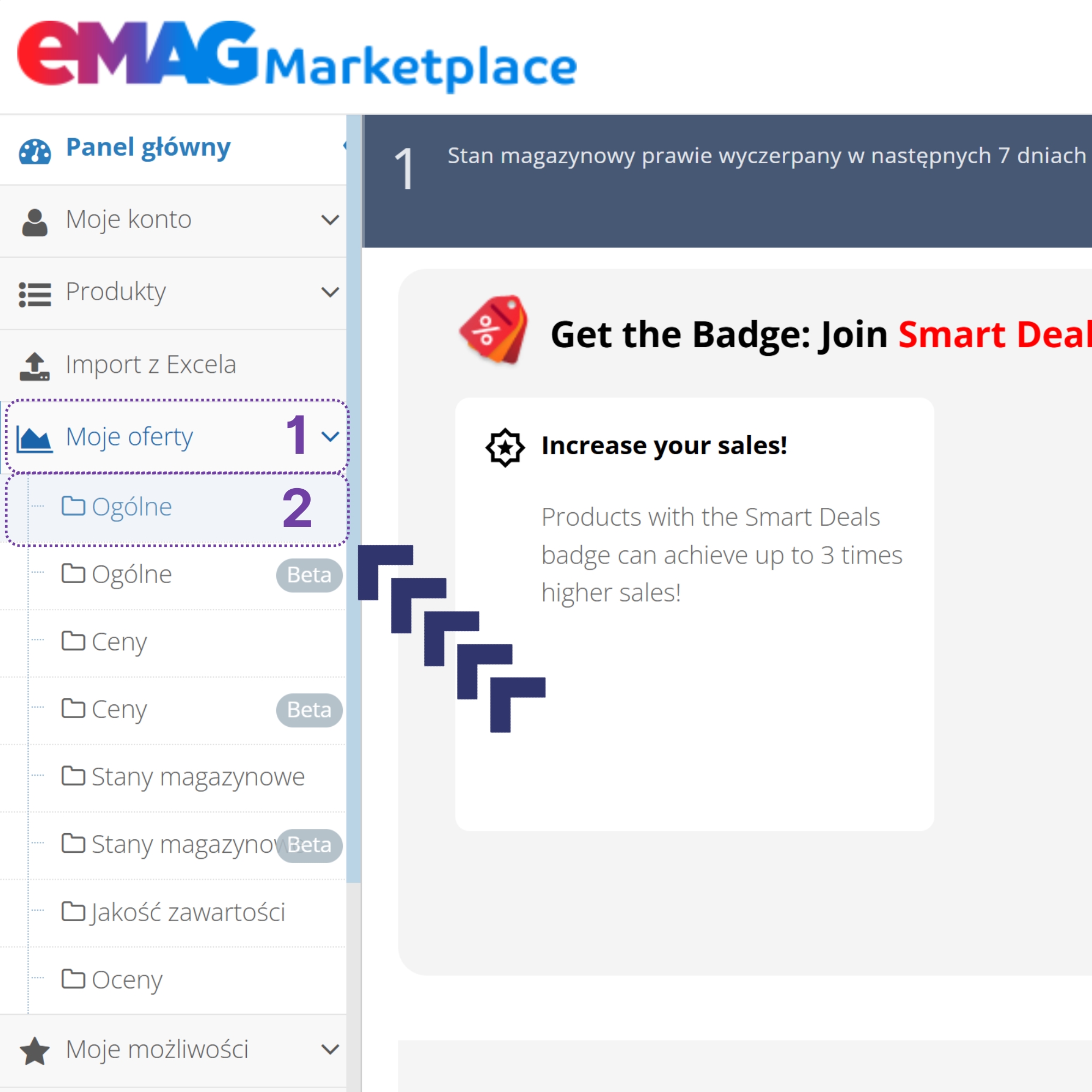
1. To add GPSR data on eMAG, log in to the admin panel and then go to the My offers -> General tab.
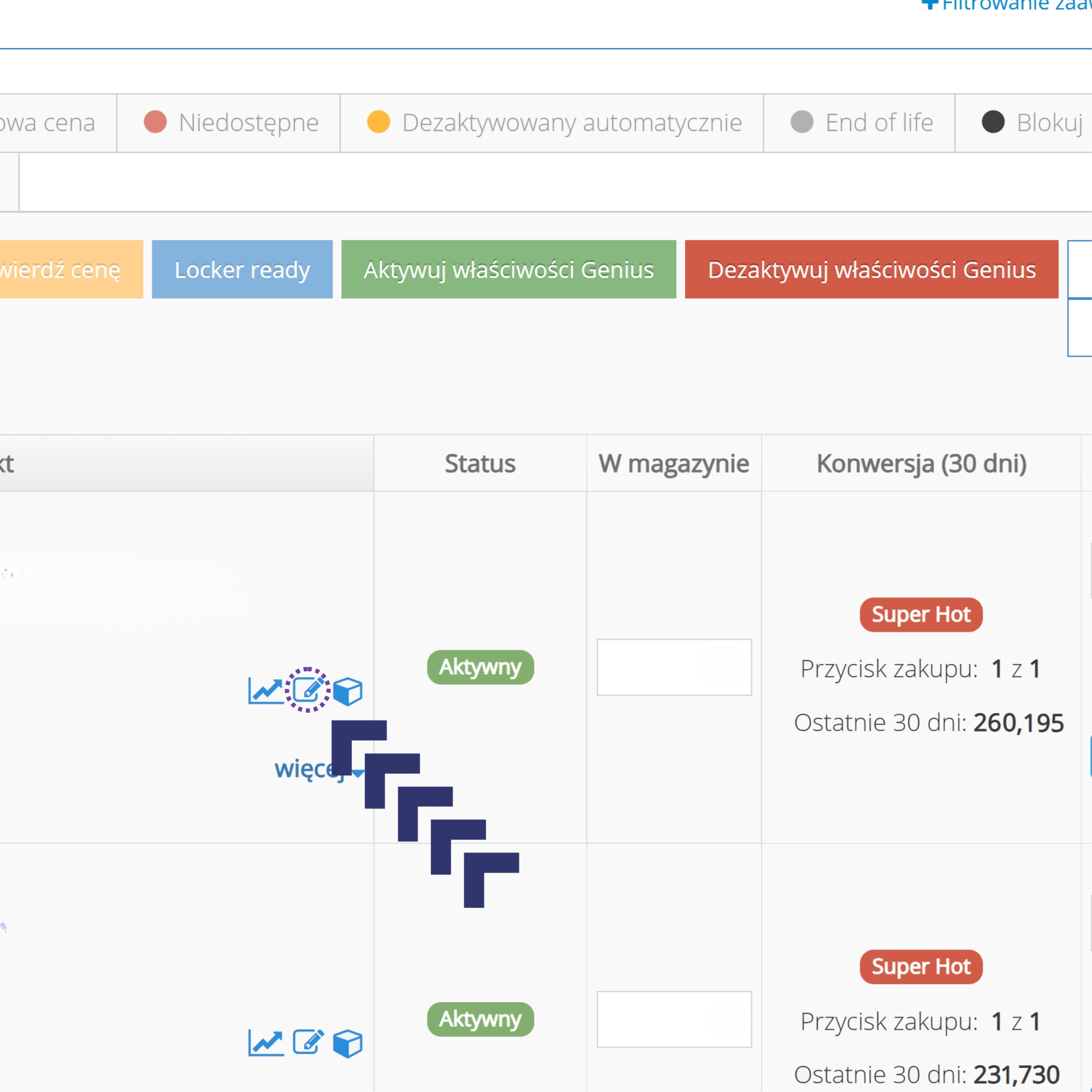
2. Next we open the offer for editing using the small pencil button.
3. In the offer editor, we scroll all the way down and fill in the fields with the relevant data. We save. Done.
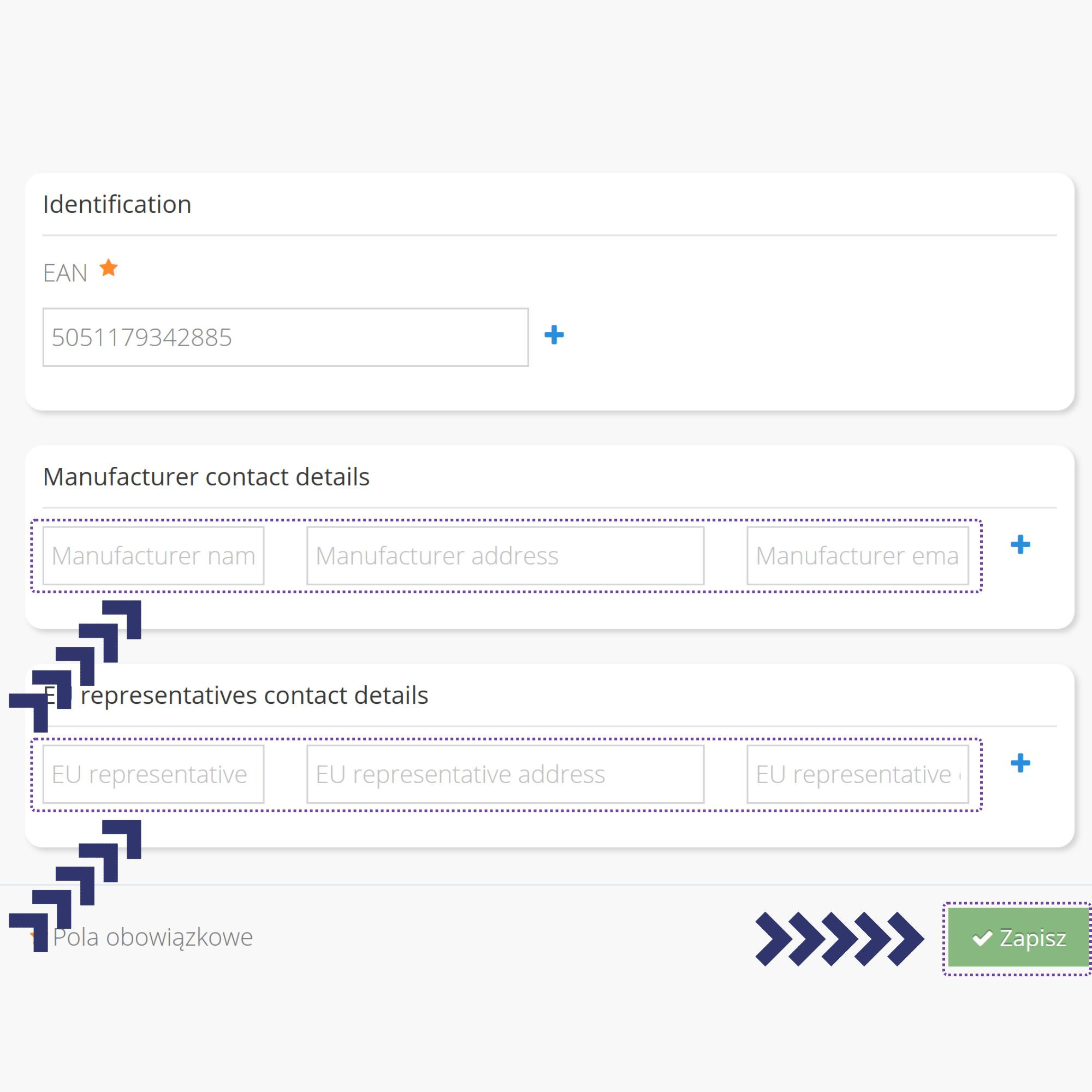
This method lets us add data to individual products efficiently, e.g. when single records need updating.
Do you want to grow your sales across multiple marketplaces?
Take advantage of our unique know-how and strategies, which will open the door to global markets for your company and significantly increase your profits.
Bulk entry of GPSR data via an XLS sheet
To add GPSR data on eMAG in bulk, we will need a program that handles XLS spreadsheets. We recommend Microsoft Excel – other programs can distort the sheet and make a correct import impossible.
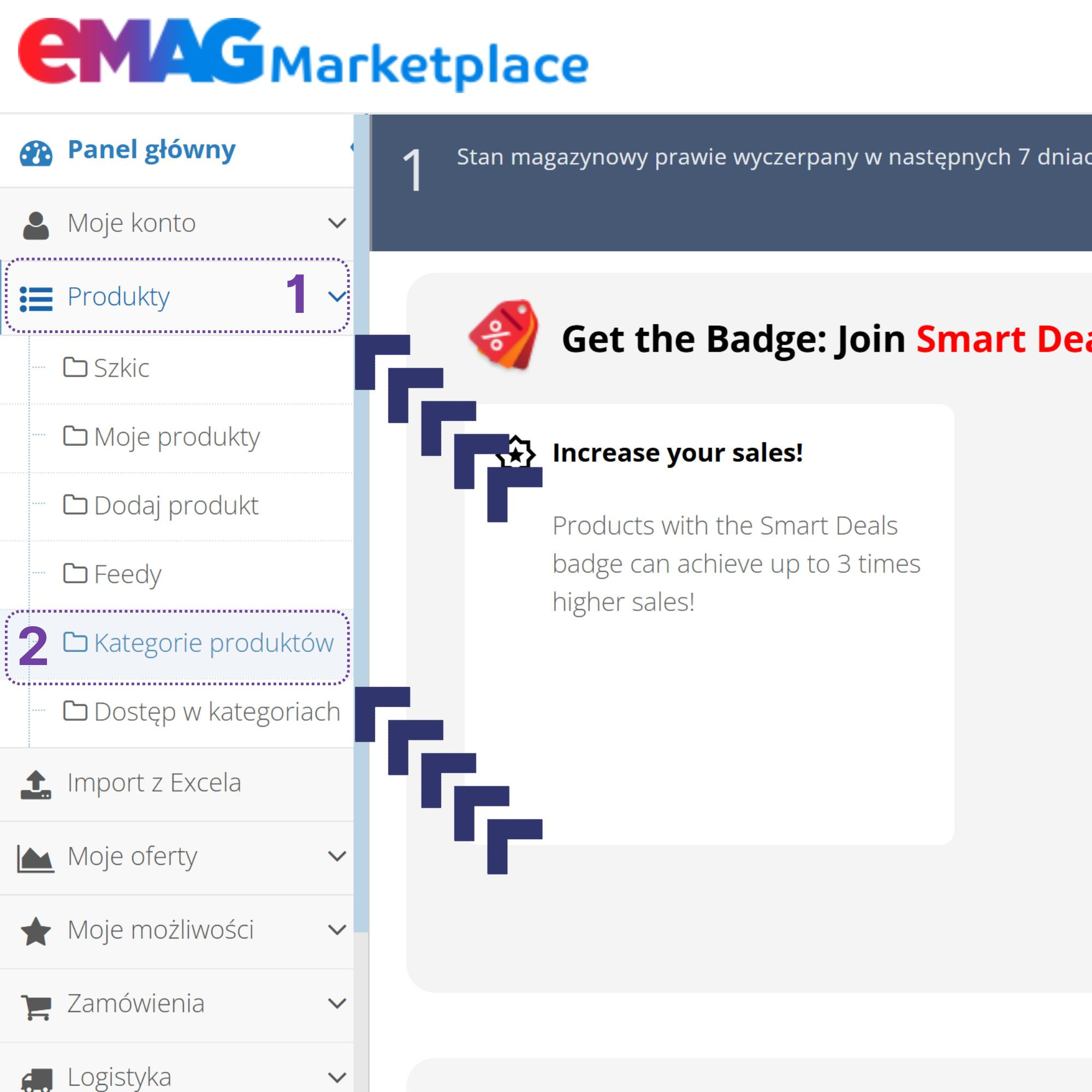
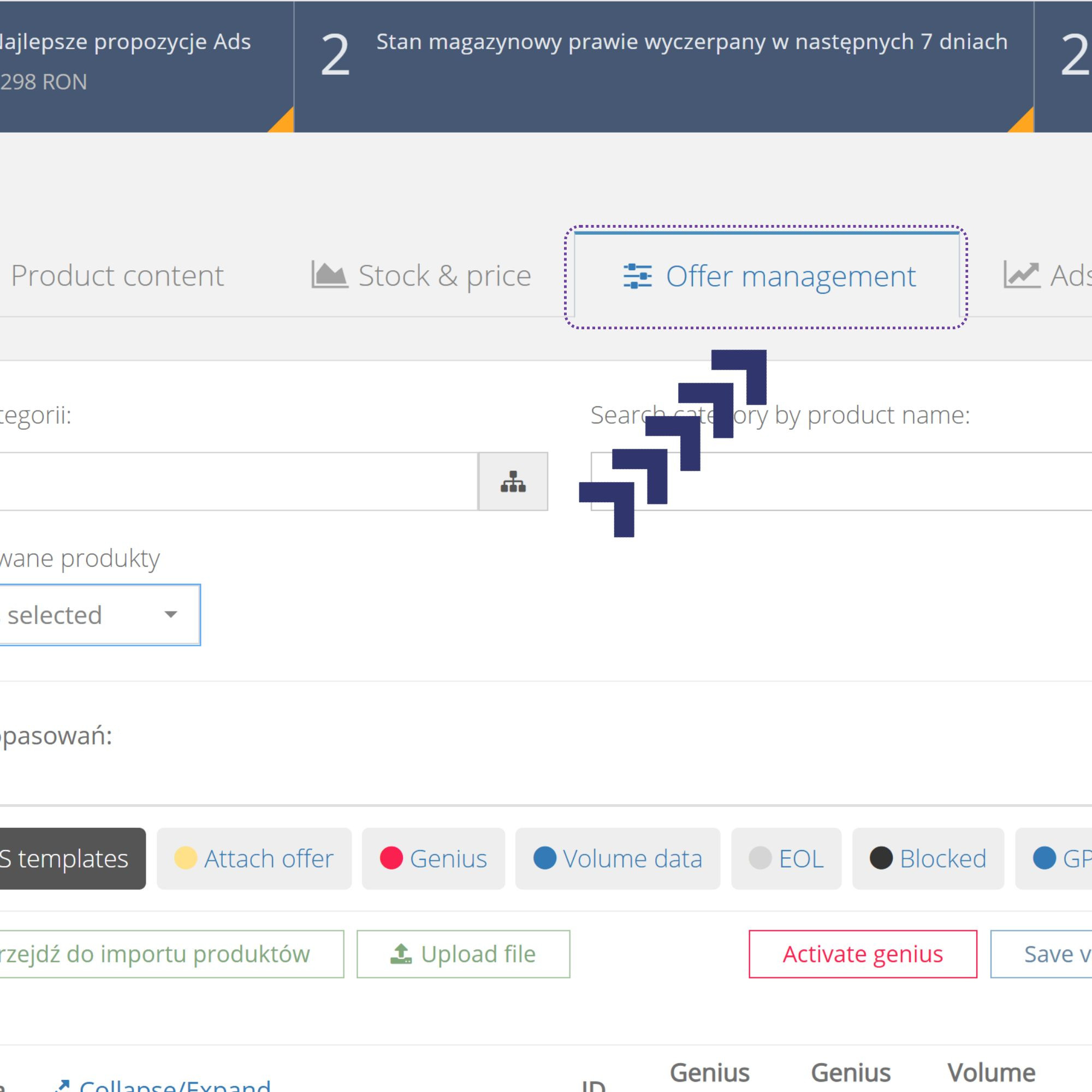
1. To start with, we log in to the eMAG admin panel and then go to the Products -> Product categories tab.
2. Next we select the Offer Management column.
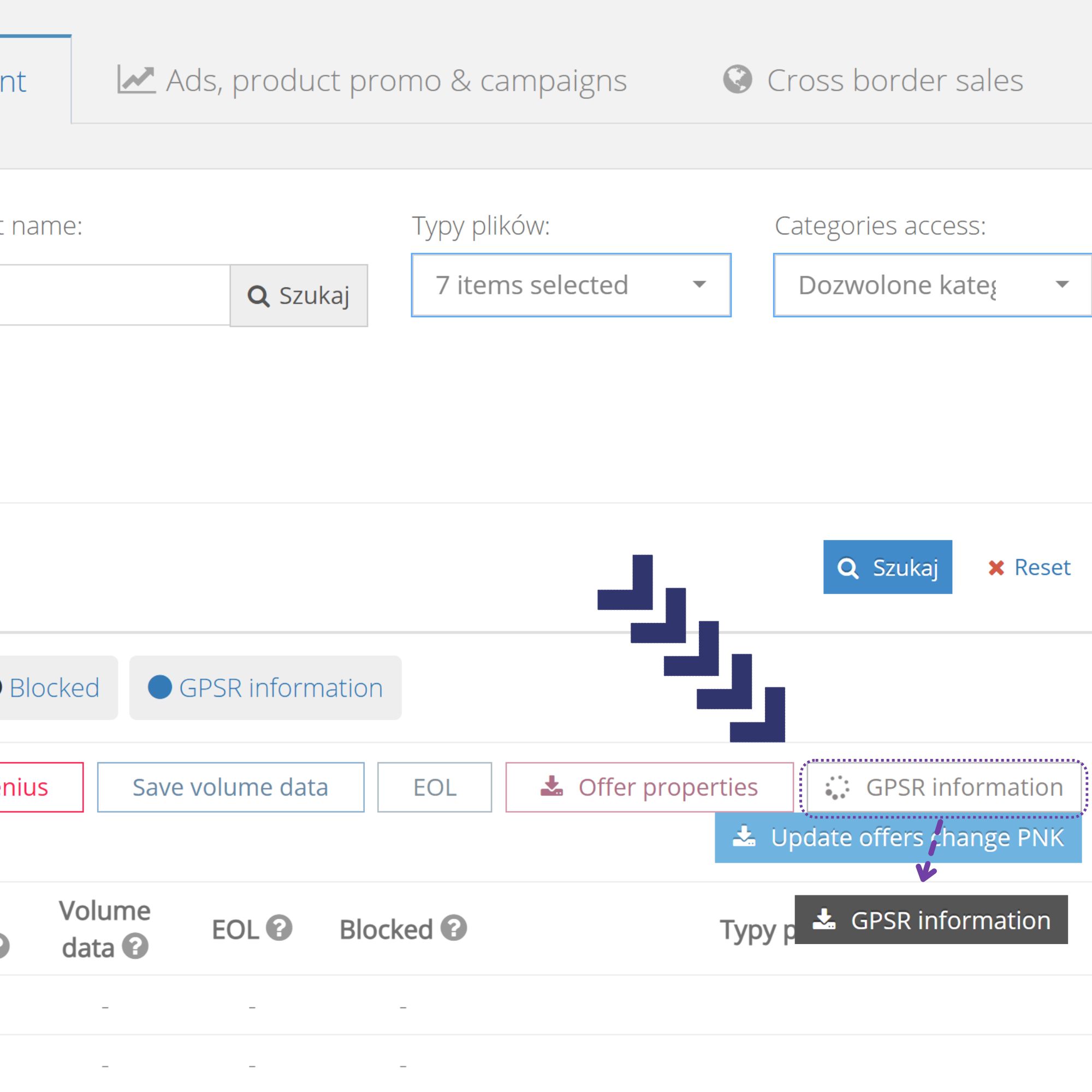
3. Next we should generate an XLS sheet with the list of our offers. This is what the GPSR Information button is for; once we press it, we have to wait for the file to be generated. Depending on the size of the offer, this can take from a few dozen seconds to a few minutes. Once it is generated, the button turns dark grey, which means we can download the sheet.
The file can be generated in bulk for the entire offer or separately for each category.
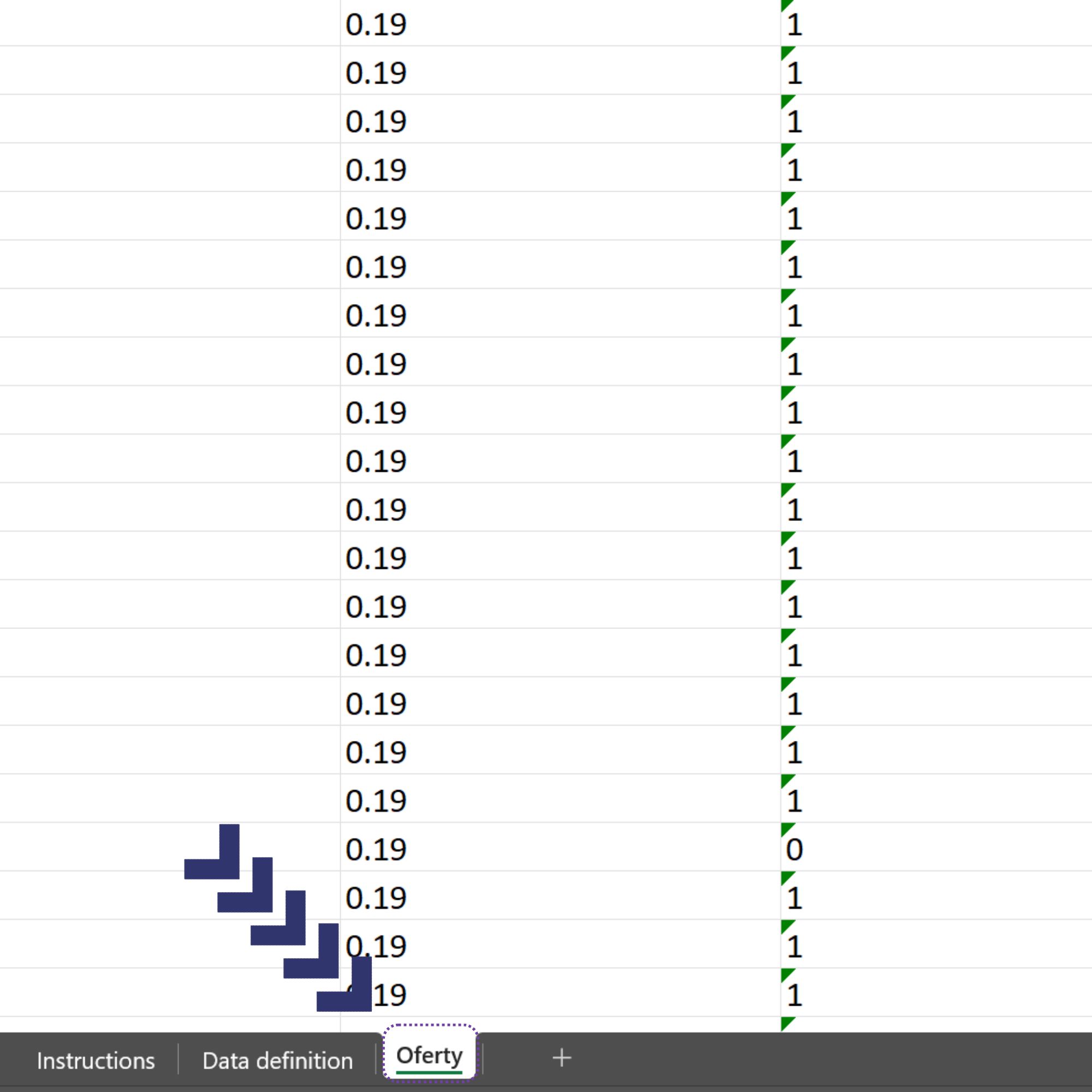
4. We open the file and go to the Oferty sheet.
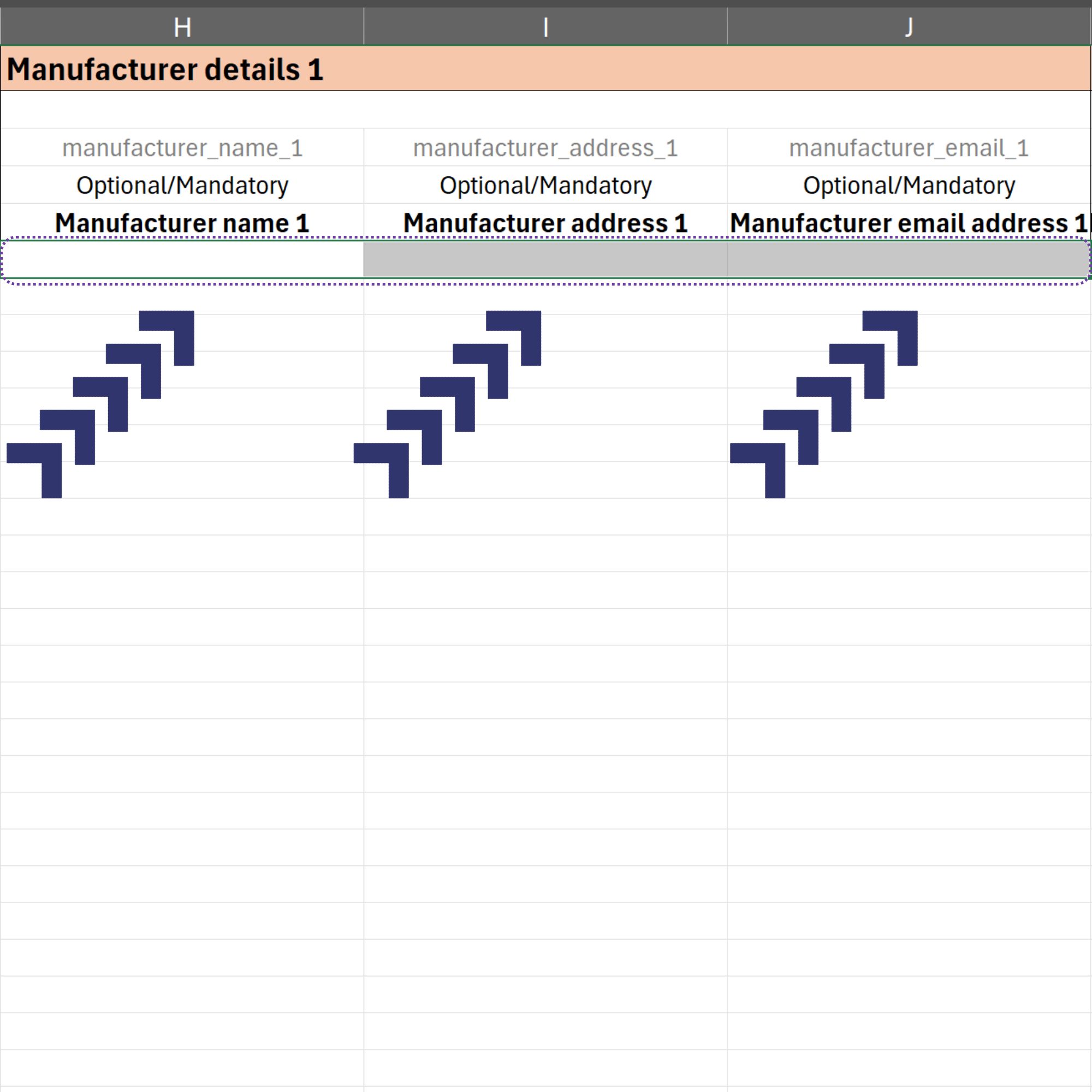
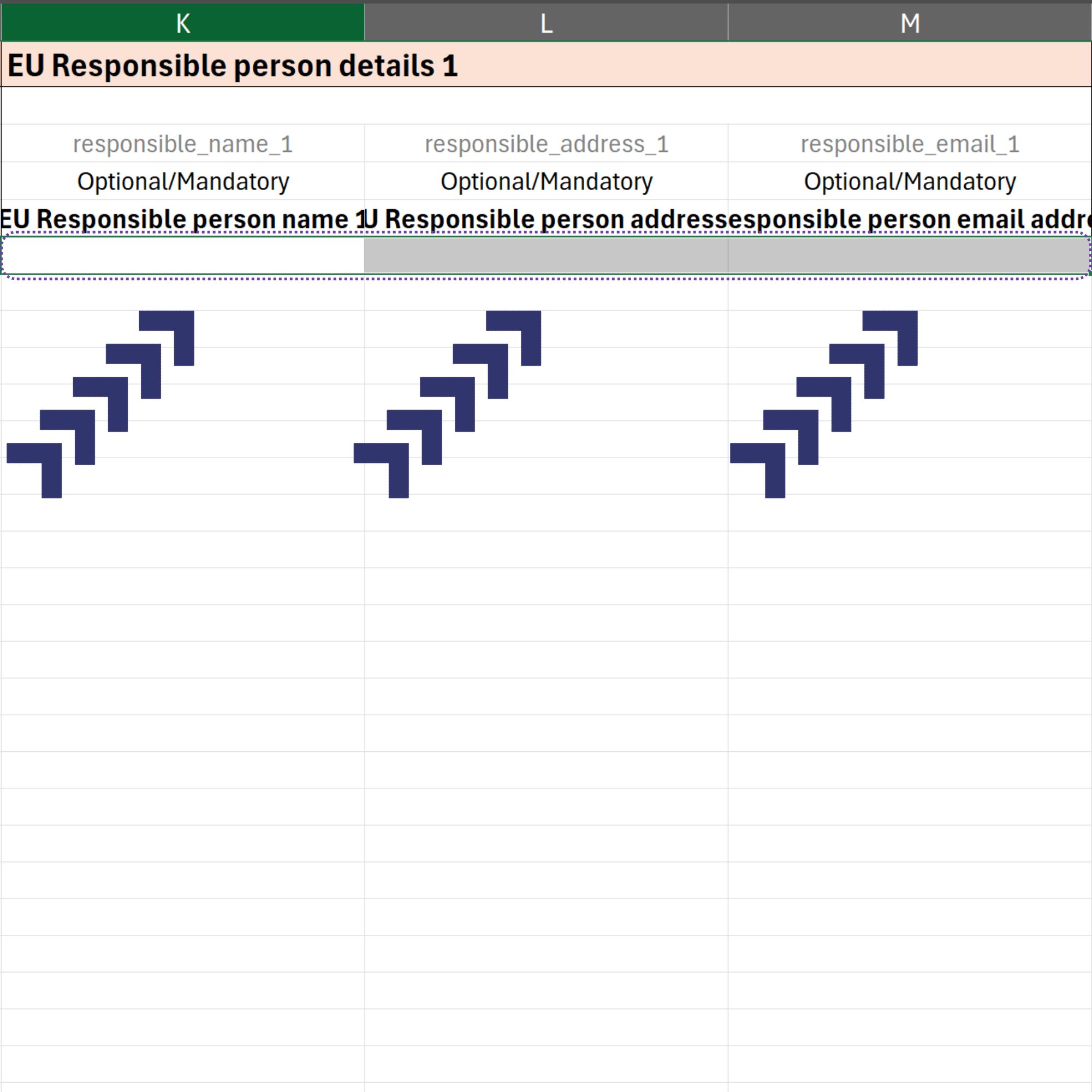
5. The columns holding the data we want to fill in start at G and end at BO. In most cases, the columns we care about are H to M. Below are columns H, I, J. One row corresponds to one offer.
6. Columns K, L, M. Once the new values have been entered, we save the file.
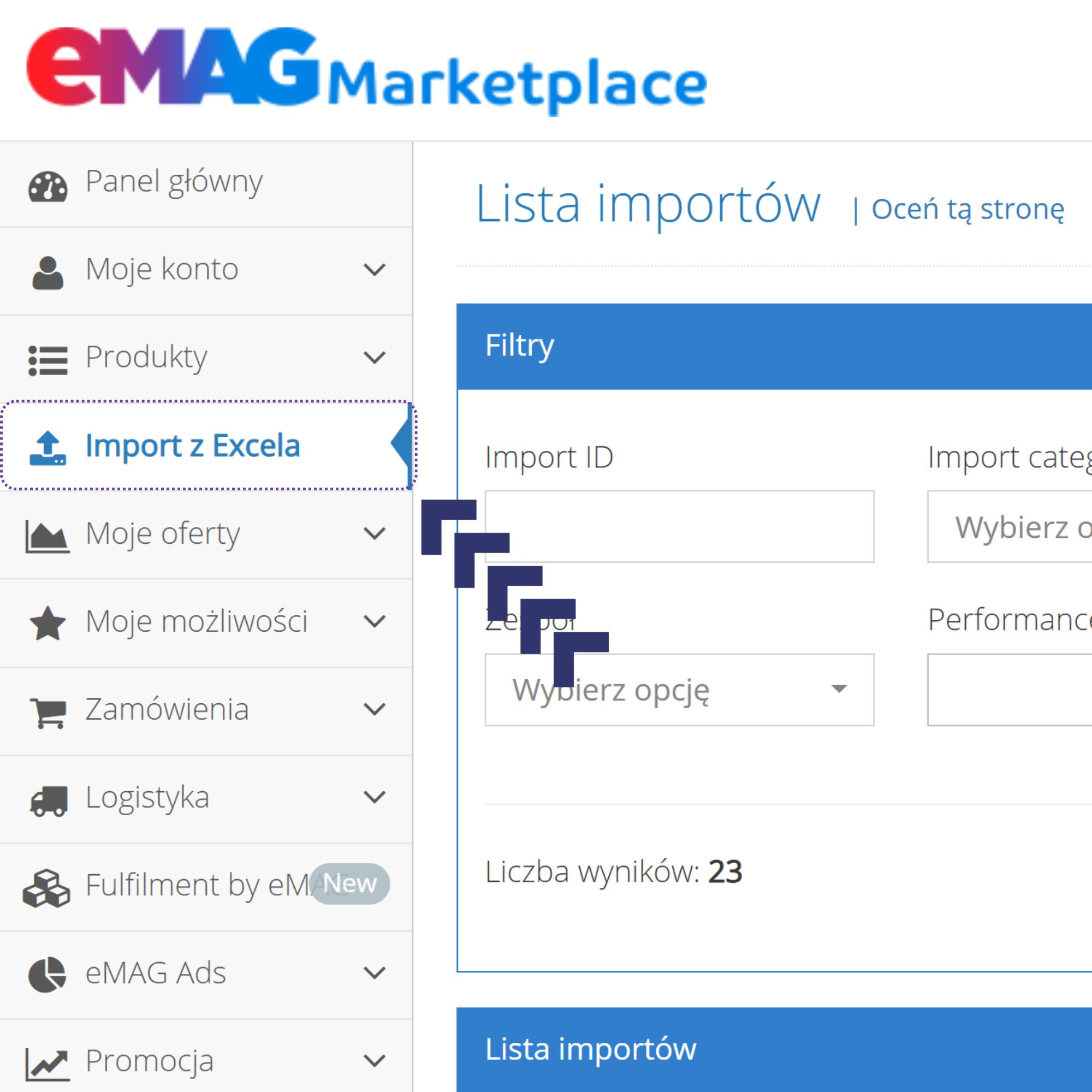
7. We go to the eMAG admin panel and select the Import z Excela tab.
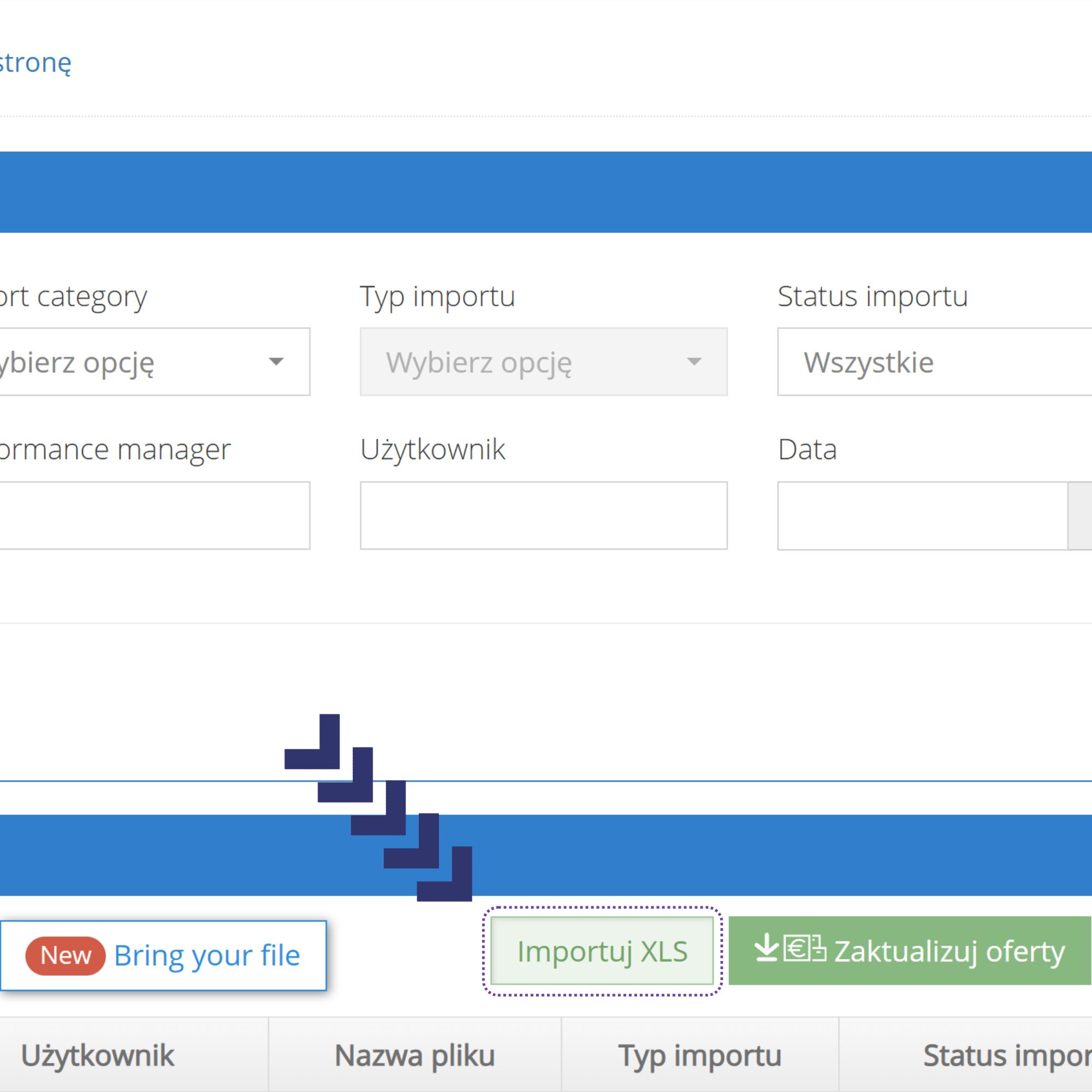
8. Next we select the Importuj XLS button.
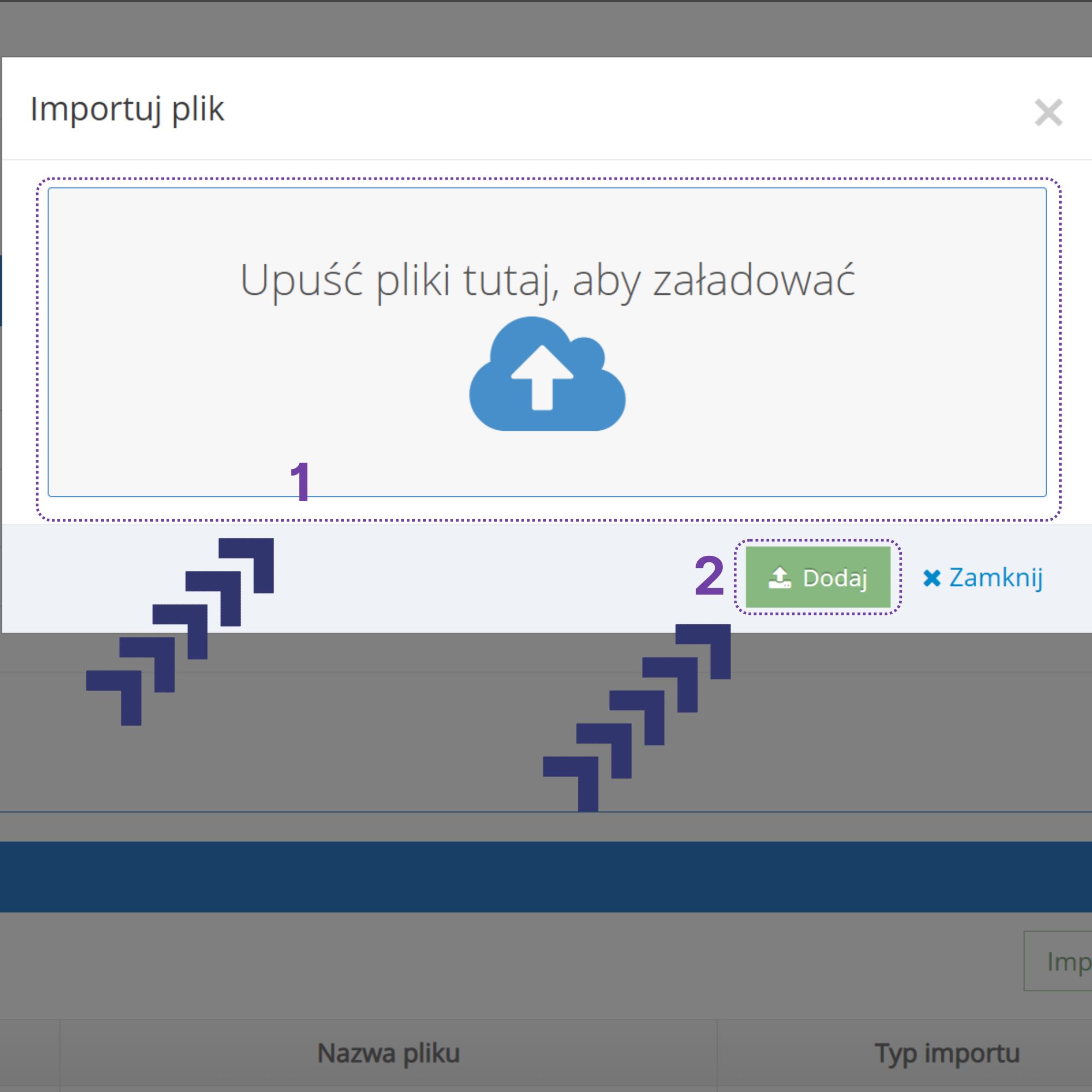
9. We add our file and click Dodaj.
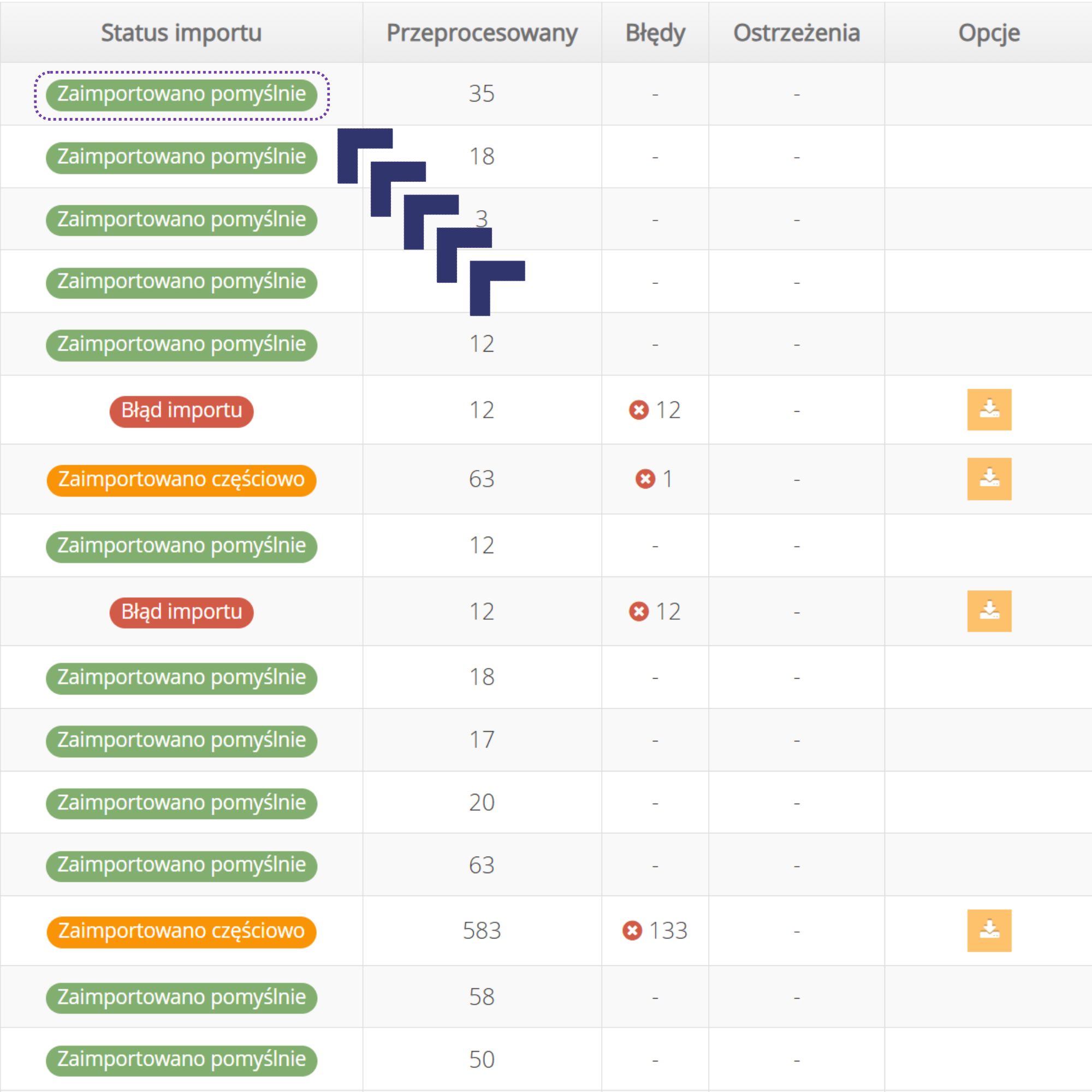
10. We wait for the file to be processed and then check whether the import completed successfully.
Not sure whether the data has been entered correctly, or are you seeing errors?
Get in touch or leave a comment. We will check what happened and propose a solution.
Related reading
Filling in GPSR data is a good moment to review the whole catalogue – a single import can also fix prices, stock levels and parameters. If you are wondering whether your categories have real potential on eMAG.ro before you put the work in, check an eMAG category market analysis – you get the number of sellers, the price distribution and the level at which an offer can hold its own. The profitability of a single offer you can work out with the eMAG profitability calculator.
We describe end-to-end management of sales on eMAG in more detail on the service page. See also: